> ## Documentation Index
> Fetch the complete documentation index at: https://docs.kolaria.com/llms.txt
> Use this file to discover all available pages before exploring further.
# Featul (Community)
> Import Kolaria changelog content into Featul.
This integration is built and maintained by Featul. Kolaria is not affiliated with Featul and does not provide support for it. It does not appear on the Integrations page in the Kolaria dashboard.
This guide explains how to connect Kolaria to [Featul](https://www.featul.com/) and import changelog content. Featul reads your posts through the Kolaria public API.
## Prerequisites
* Access to a Featul workspace.
* Your Kolaria Organization ID.
* A Kolaria API key with read access to posts (`posts.read`).
## Connect Kolaria to Featul
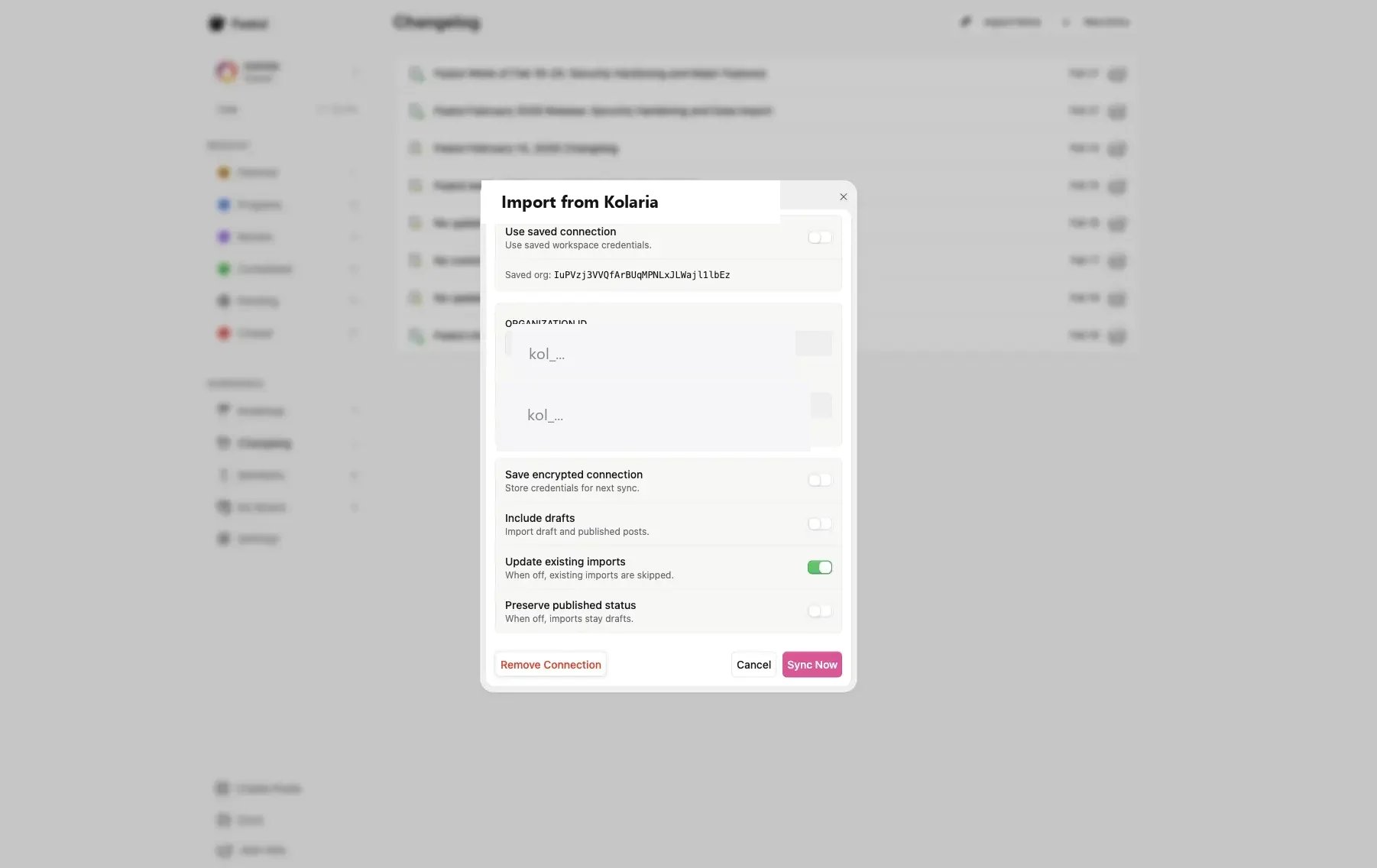
1. In Featul, open the **Changelog** page.
2. At the top of the page, click **Import from Kolaria**.
3. In the import dialog, enter your **Organization ID** and **API key** from Kolaria.
4. Optional: enable **Save encrypted connection** if you want Featul to reuse these credentials.
5. Click **Sync Now** to start the import.
 ### Where to find your Kolaria credentials
1. Open the Kolaria dashboard and select your organization.
2. Copy the **Organization ID** from **Settings** > **General**.
3. Create an API key under **API Keys** in the sidebar. Read access to posts is enough.
4. Return to Featul and paste both values into the **Import from Kolaria** dialog.
## Notes
You can import both draft and published content by enabling **Include drafts**.
You can update previously imported entries by enabling **Update existing imports**.
Questions about the import dialog itself go to Featul. Questions about API keys or the posts API go to Kolaria support.
### Where to find your Kolaria credentials
1. Open the Kolaria dashboard and select your organization.
2. Copy the **Organization ID** from **Settings** > **General**.
3. Create an API key under **API Keys** in the sidebar. Read access to posts is enough.
4. Return to Featul and paste both values into the **Import from Kolaria** dialog.
## Notes
You can import both draft and published content by enabling **Include drafts**.
You can update previously imported entries by enabling **Update existing imports**.
Questions about the import dialog itself go to Featul. Questions about API keys or the posts API go to Kolaria support.