> ## Documentation Index
> Fetch the complete documentation index at: https://docs.kolaria.com/llms.txt
> Use this file to discover all available pages before exploring further.
# Authentication
> Authenticate requests to the Kolaria API with API keys or OAuth access tokens, and understand scopes and auth errors.
Every endpoint except `GET /v1/status` and the public feedback URL (`POST /v1/feedback/{organizationSlug}`) requires a bearer credential in the `Authorization` header. Two kinds of credential are accepted, and both are checked against the same [scopes](#scopes):
| Credential | Looks like | Best for |
| - | - | - |
| API key | `klra_...`, created on the API Keys page | Scripts, backends, CI, and any manual setup where you paste a secret once |
| OAuth access token | A JWT issued by the Kolaria authorization server | CLIs, MCP clients and agents that should sign a user in, get a token for that user's organization, and refresh it without storing a long-lived secret |
The API tells the two apart by shape: a value that parses as a JWT is verified as an OAuth token, anything else is verified as an API key.
## How It Works
```bash cURL theme={null}
curl -H "Authorization: Bearer YOUR_API_KEY" \
"https://api.kolaria.com/v1/posts"
```
```typescript fetch theme={null}
const response = await fetch("https://api.kolaria.com/v1/posts", {
headers: {
Authorization: `Bearer ${process.env.KOLARIA_API_KEY}`,
},
});
const data = await response.json();
console.log(data);
```
```typescript SDK theme={null}
import { Kolaria } from "@usenotra/sdk";
const notra = new Kolaria({
bearerAuth: process.env.KOLARIA_API_KEY ?? "",
});
const result = await notra.content.listPosts();
console.log(result);
```
The header format is `Authorization: Bearer `. The scheme name is case-insensitive. Keys created in the dashboard start with `klra_`; OAuth access tokens are used the same way, see [OAuth](#oauth).
The SDK reads the key from the `bearerAuth` option. Its generated README refers to a `NOTRA_BEARER_AUTH` environment variable; any variable name works as long as you pass the value in.
## Create an API Key
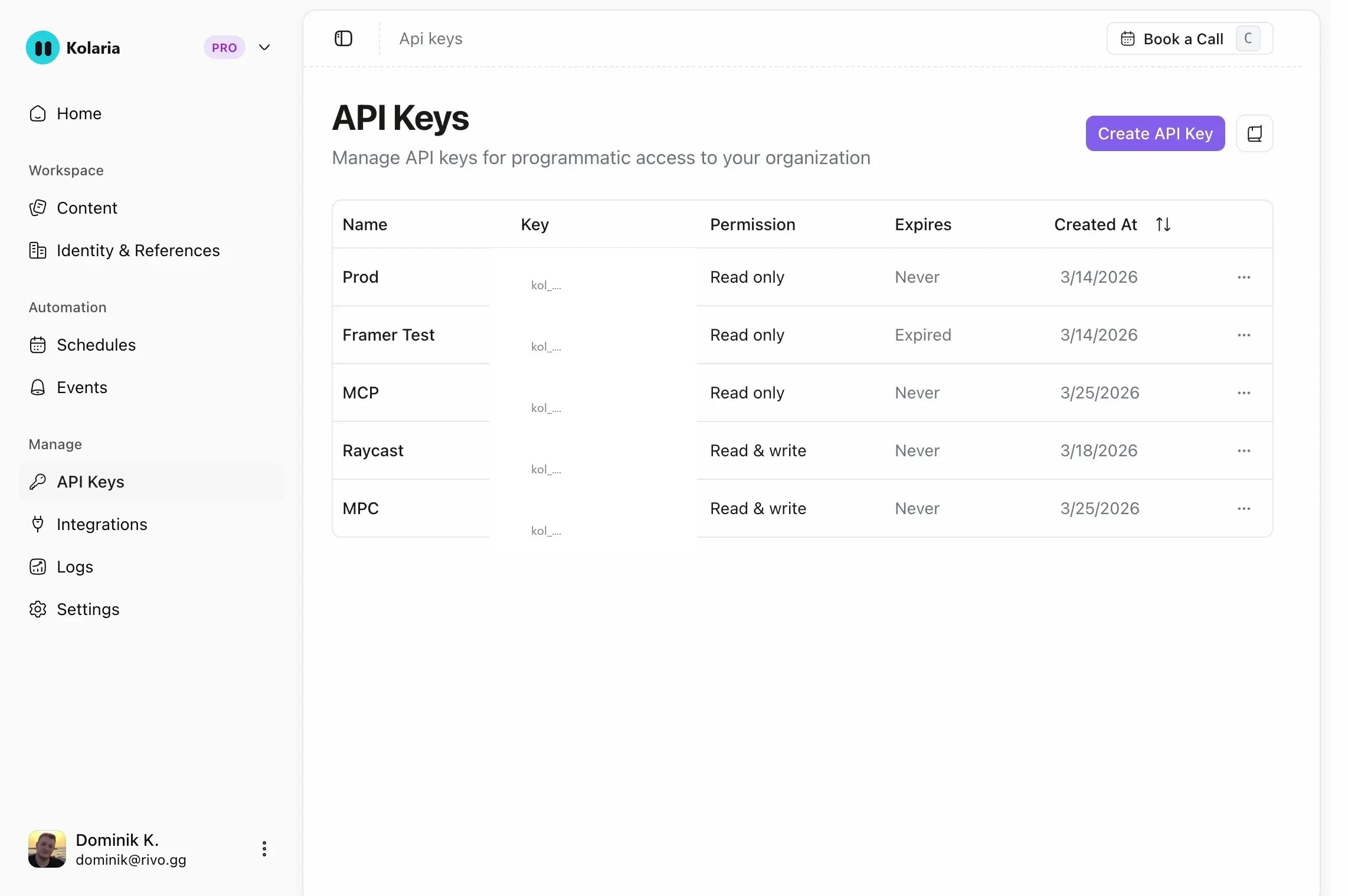
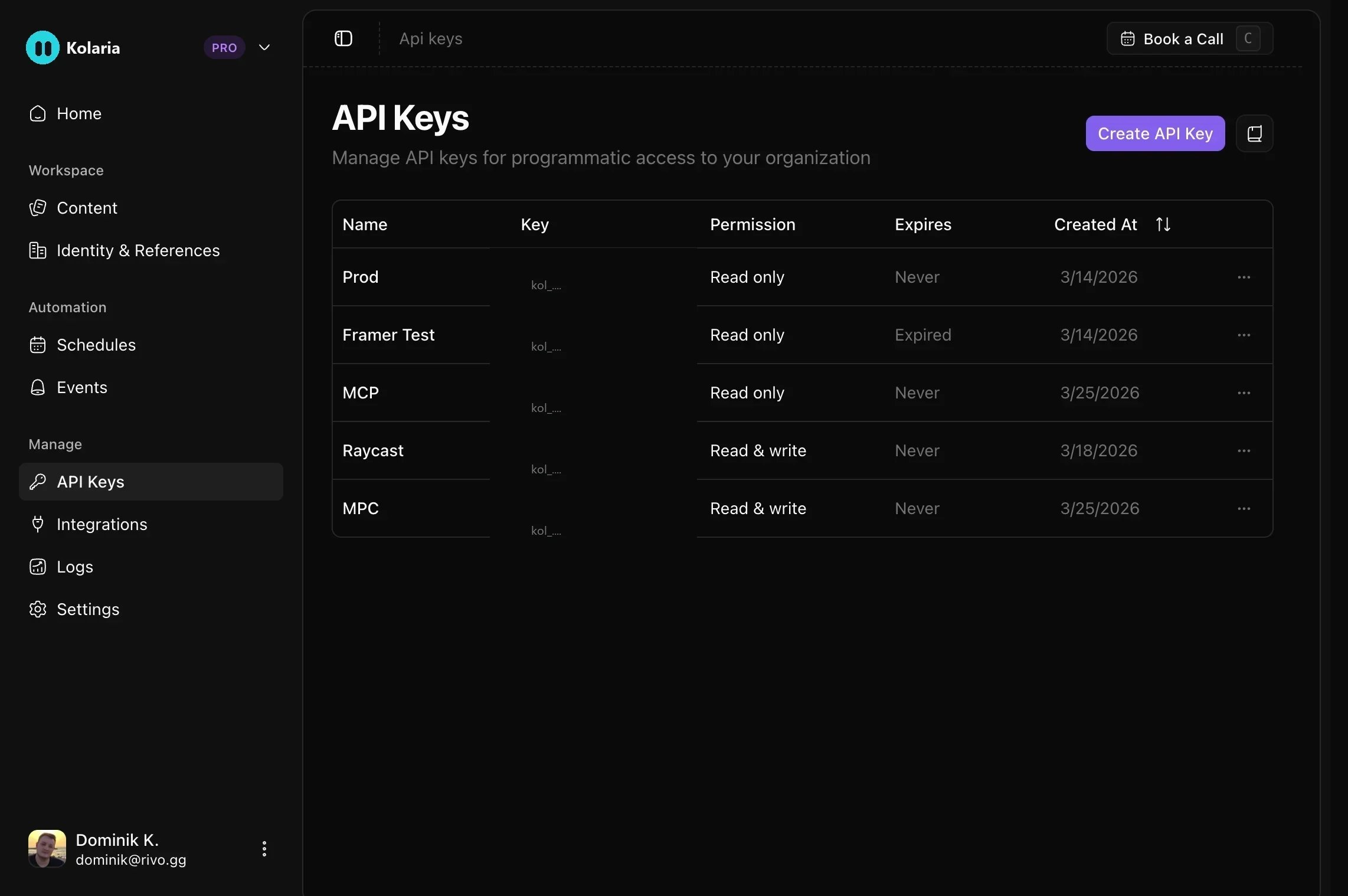
In the [dashboard](https://app.kolaria.com), click **API Keys** at the bottom of the sidebar (`app.kolaria.com/{org-slug}/api-keys`). Keys belong to the organization you are viewing.
The page offers three presets: **MCP Server** (read and write on every resource), **SDK** (read on every resource) and **CLI** (read and write on every resource). Each one prefills a name and permissions. **Create API Key** opens the same form with read access on every resource.
Expiration is one of **No expiry**, **7 days**, **30 days**, **60 days** or **90 days**. Permissions use one of three access modes: **Full Access** (every scope), **GEO Access** (read and write on the GEO resources only) or **Restricted**, which shows a **None / Read / Write** selector for each resource.
The key is shown once after creation. Store it server-side. You can rename a key, change its expiration and adjust its permissions later from the same page, and delete it at any time.
 ## Scopes
Every resource has a `.read` and a `.write` scope. The API derives the required scope from the request: `GET` needs the read scope, and `POST`, `PUT`, `PATCH` and `DELETE` need the write scope. A write scope does not imply the read scope, so a key that should both read and update posts needs `posts.read` and `posts.write`. In the dashboard, choosing **Write** for a resource grants both.
| Resource | Scopes | Covers |
| - | - | - |
| Posts | `posts.read`, `posts.write` | `/v1/posts`, including generation jobs |
| Brand identities | `brand-identities.read`, `brand-identities.write` | `/v1/brand-identities` |
| Integrations | `integrations.read`, `integrations.write` | `/v1/integrations` |
| Schedules | `schedules.read`, `schedules.write` | `/v1/schedules` |
| Event triggers | `event-triggers.read`, `event-triggers.write` | `/v1/event-triggers` |
| Chats | `chats.read`, `chats.write` | `/v1/chats`, `/v2/agent-chats`, `/v2/eve` |
| Skills | `skills.read`, `skills.write` | `/v1/skills` |
| Agent feedback | `feedback.read`, `feedback.write` | `/v1/feedback` (except the public submit URL) |
| Projects | `projects.read`, `projects.write` | `/v1/projects` and `/v1/projects/{projectId}` |
| GEO settings | `geo-settings.read`, `geo-settings.write` | `/v1/projects/{projectId}/geo/settings` |
| GEO prompts | `prompts.read`, `prompts.write` | `.../geo/prompts`, `.../geo/sequences` |
| GEO competitors | `competitors.read`, `competitors.write` | `.../geo/competitors` |
| GEO scans | `scans.read`, `scans.write` | `.../geo/scans` |
| GEO visibility | `visibility.read`, `visibility.write` | `.../geo/visibility` |
| GEO content briefs | `briefs.read`, `briefs.write` | `.../geo/gaps`, `.../geo/briefs` |
| GEO agent readiness | `agent-readiness.read`, `agent-readiness.write` | `.../geo/agent-readiness` |
| GEO AI traffic | `traffic.read`, `traffic.write` | `.../geo/traffic`, `/v1/geo/ingest` |
`GET /v1/status` and `POST /v1/feedback/{organizationSlug}` need no key at all.
### Legacy scopes
Keys created before granular scopes existed carry `api.read` or `api.write`. They keep working: `api.write` satisfies every scope, and `api.read` satisfies every read scope. The API Keys page shows these keys with their expanded permissions, and saving a key from the editor converts it to granular scopes.
### Plan requirements
Scopes are checked first, then the organization's plan:
* `POST`, `PUT` and `PATCH` requests need an active paid plan or a positive AI credit balance. Otherwise the API returns `402` with `error: "Active subscription required"`. `GET` and `DELETE` always work so you can read and remove your data.
* Every GEO endpoint (`/v1/projects/*` and `/v1/geo/ingest/*`), reads included, needs a GEO plan. Otherwise the API returns `402` with `error: "GEO requires a Starter, Growth, or Scale plan"`.
## OAuth
OAuth lets a CLI, MCP client or agent obtain a token for a signed-in user without that user creating and pasting an API key. Tokens are issued by the Kolaria authorization server at `https://oauth.kolaria.com`, are bound to one organization, carry the scopes the user approved, and can be refreshed and revoked. The Kolaria MCP server at `https://mcp.kolaria.com/mcp` accepts the same tokens.
Use OAuth when a person is present to approve access, when you want per-user identity on requests, or when the credential should expire on its own. Use an API key for unattended server-to-server work.
### Discovery
Everything a client needs is published as standard metadata:
| Document | URL |
| - | - |
| Protected resource metadata (API) | `https://api.kolaria.com/.well-known/oauth-protected-resource` |
| Protected resource metadata (MCP) | `https://mcp.kolaria.com/.well-known/oauth-protected-resource` |
| Authorization server metadata | `https://api.kolaria.com/.well-known/oauth-authorization-server` |
| Human and agent readable guide | `https://www.kolaria.com/auth.md` |
The protected resource metadata lists the authorization server, `scopes_supported` (`openid` and `offline_access`) and `bearer_methods_supported: ["header"]`. Any `401` from the API or the MCP server carries `WWW-Authenticate: Bearer resource_metadata="..."` pointing at the matching document, so a client that starts with an unauthenticated request can discover the rest.
The authorization server exposes:
| Endpoint | URL |
| - | - |
| Authorization | `https://oauth.kolaria.com/oauth2/authorize` |
| Token | `https://oauth.kolaria.com/oauth2/token` |
| Dynamic client registration | `https://oauth.kolaria.com/oauth2/register` |
| Device authorization | `https://oauth.kolaria.com/oauth2/device_authorization` |
| Revocation | `https://oauth.kolaria.com/oauth2/revoke` |
| JWKS | `https://oauth.kolaria.com/oauth2/jwks` |
Supported: the authorization code grant with PKCE (`S256`), the refresh token grant, and the device authorization grant. Clients are public (`token_endpoint_auth_methods_supported: ["none"]`), so no client secret is involved.
### Register a client
Register once with dynamic client registration and store the returned `client_id`:
```bash theme={null}
curl -X POST https://oauth.kolaria.com/oauth2/register \
-H "Content-Type: application/json" \
-d '{
"client_name": "Acme CLI",
"redirect_uris": ["http://127.0.0.1:8765/callback"],
"grant_types": ["authorization_code", "refresh_token"],
"response_types": ["code"],
"token_endpoint_auth_method": "none"
}'
```
Request `openid` and add `offline_access` for refresh tokens. WorkOS does not allow custom OAuth scopes on dynamically registered clients, including ChatGPT CIMD clients. The consent screen instead asks the user to select a workspace and one access level: Read only, Write only, or Full access for all resources in the [scope table](#scopes). These choices are signed into access-token claims and mapped to the same granular permissions as API keys. Read only grants every read scope, Write only grants every write scope, and Full access grants both. Missing choices grant no access, and broader role permissions cannot override these choices. The API checks current workspace membership on every request.
### Authorization code flow with PKCE
1. Generate a random `code_verifier` and its `S256` `code_challenge`.
2. Open the user's browser at the authorization endpoint:
```
https://oauth.kolaria.com/oauth2/authorize
?response_type=code
&client_id=YOUR_CLIENT_ID
&redirect_uri=http://127.0.0.1:8765/callback
&scope=openid%20offline_access
&code_challenge=YOUR_CODE_CHALLENGE
&code_challenge_method=S256
&state=RANDOM_STATE
```
3. The user signs in, picks the workspace and approves an access level. The browser is redirected to `redirect_uri` with `code` and `state`.
4. Exchange the code for tokens:
```bash theme={null}
curl -X POST https://oauth.kolaria.com/oauth2/token \
-d grant_type=authorization_code \
-d client_id=YOUR_CLIENT_ID \
-d code=THE_CODE \
-d redirect_uri=http://127.0.0.1:8765/callback \
-d code_verifier=YOUR_CODE_VERIFIER
```
The response contains `access_token`, `expires_in`, `token_type: "Bearer"`, the granted `scope`, and `refresh_token` when `offline_access` was granted.
### Device flow for headless CLIs
When there is no browser on the machine (SSH sessions, containers, CI runners with a person watching), use the device authorization grant:
```bash theme={null}
curl -X POST https://oauth.kolaria.com/oauth2/device_authorization \
-d client_id=YOUR_CLIENT_ID \
-d scope="openid offline_access"
```
Show the returned `verification_uri` and `user_code` to the user, then poll the token endpoint at the returned `interval` until they approve:
```bash theme={null}
curl -X POST https://oauth.kolaria.com/oauth2/token \
-d grant_type=urn:ietf:params:oauth:grant-type:device_code \
-d client_id=YOUR_CLIENT_ID \
-d device_code=THE_DEVICE_CODE
```
While the user has not finished, the token endpoint answers with `error: "authorization_pending"` (or `slow_down`); keep polling. Once approved you get the same token response as the code flow.
### Use the access token
Send it exactly like an API key:
```bash theme={null}
curl -H "Authorization: Bearer YOUR_ACCESS_TOKEN" \
"https://api.kolaria.com/v1/posts"
```
The organization is taken from the token, so there is nothing else to pass. Access tokens are short-lived; when a request returns `401` with an expiry error, refresh and retry. Per-key [rate limits](/api/rate-limits) apply per user and organization for OAuth tokens, so two users in the same organization have separate budgets.
### Refresh with offline\_access
If the user granted `offline_access`, exchange the refresh token for a new access token when the old one expires:
```bash theme={null}
curl -X POST https://oauth.kolaria.com/oauth2/token \
-d grant_type=refresh_token \
-d client_id=YOUR_CLIENT_ID \
-d refresh_token=YOUR_REFRESH_TOKEN
```
Without `offline_access` there is no refresh token and the user must sign in again when the access token expires.
### Revocation
Revoke a token when the user signs out or the client is uninstalled:
```bash theme={null}
curl -X POST https://oauth.kolaria.com/oauth2/revoke \
-d client_id=YOUR_CLIENT_ID \
-d token=YOUR_REFRESH_TOKEN
```
Discard revoked tokens immediately. If a later request comes back `401`, run discovery and the authorization flow again rather than retrying with the old token.
### OAuth-specific errors
OAuth tokens go through the same `{ error, code, recovery }` envelope. In addition to the errors listed under [Error Responses](#error-responses), you may see:
| Status | `error` | Meaning |
| - | - | - |
| `401` | `ERR_JWT_EXPIRED` and other `ERR_JWT_*` / `ERR_JWS_*` codes | The token failed signature, issuer or expiry validation. Refresh or re-authorize. |
| `401` | `Missing token audience` / `Invalid token audience` | The token was not issued for `https://api.kolaria.com` or the MCP server. Request one for the right resource. |
| `401` | `Missing OAuth organization` | The token is not bound to an organization. Complete the flow again and choose an organization. |
| `401` | `No local user found for OAuth subject` / `No local organization found for OAuth token` | The signed-in user or organization has no Kolaria account yet. Sign up in the dashboard first. |
| `503` | `OAuth verification unavailable` | Signing keys could not be fetched. Retry with exponential backoff. |
## Error Responses
Authentication and authorization failures, for API keys and OAuth tokens alike, return a JSON body with three fields:
```json theme={null}
{
"error": "Forbidden",
"code": "FORBIDDEN",
"recovery": "Request a key with the required scope for this endpoint, then retry after verifying whether the previous mutation completed."
}
```
| Status | `error` | Meaning |
| - | - | - |
| `401` | `Missing API key` | No `Authorization` header, or no token after `Bearer`. |
| `401` | `Invalid API key` | The key is unknown, disabled or expired. |
| `403` | `Forbidden` | The key is valid but lacks the scope for this method and path. |
| `403` | `Forbidden: API key must be scoped to an organization` | The key is not attached to an organization. Create a new key from the dashboard. |
| `429` | `API key rate limit exceeded` | The key itself is throttled. Distinct from the per-endpoint limits in [Rate Limits](/api/rate-limits). |
| `503` | `Service unavailable` | The key could not be verified. Retry with exponential backoff. |
`code` is the `error` string upper-cased with non-alphanumeric runs replaced by `_`. `401` responses also include `WWW-Authenticate: Bearer resource_metadata="https://api.kolaria.com/.well-known/oauth-protected-resource"`, which is the entry point for [OAuth discovery](#discovery).
```typescript fetch theme={null}
const response = await fetch("https://api.kolaria.com/v1/posts", {
headers: { Authorization: `Bearer ${process.env.KOLARIA_API_KEY}` },
});
if (!response.ok) {
const body = await response.json();
console.error(response.status, body.error, body.code);
}
```
```typescript SDK theme={null}
import { Kolaria } from "@usenotra/sdk";
import * as errors from "@usenotra/sdk/models/errors";
const notra = new Kolaria({
bearerAuth: process.env.KOLARIA_API_KEY ?? "",
});
try {
const result = await notra.content.listPosts();
console.log(result);
} catch (error) {
if (error instanceof errors.NotraError) {
console.log(error.message);
console.log(error.statusCode);
console.log(error.body);
}
}
```
## Security Best Practices
Treat API keys as secrets. Do not expose them in client-side code, public
repositories, or logs.
Grant the smallest set of scopes a workflow needs, set an expiration on keys used in CI or short-lived scripts, and create one key per integration so you can revoke it without affecting anything else.
If a key is exposed, delete it from the **API Keys** page. Deletion takes effect immediately. For OAuth tokens, call the [revocation endpoint](#revocation).
## Scopes
Every resource has a `.read` and a `.write` scope. The API derives the required scope from the request: `GET` needs the read scope, and `POST`, `PUT`, `PATCH` and `DELETE` need the write scope. A write scope does not imply the read scope, so a key that should both read and update posts needs `posts.read` and `posts.write`. In the dashboard, choosing **Write** for a resource grants both.
| Resource | Scopes | Covers |
| - | - | - |
| Posts | `posts.read`, `posts.write` | `/v1/posts`, including generation jobs |
| Brand identities | `brand-identities.read`, `brand-identities.write` | `/v1/brand-identities` |
| Integrations | `integrations.read`, `integrations.write` | `/v1/integrations` |
| Schedules | `schedules.read`, `schedules.write` | `/v1/schedules` |
| Event triggers | `event-triggers.read`, `event-triggers.write` | `/v1/event-triggers` |
| Chats | `chats.read`, `chats.write` | `/v1/chats`, `/v2/agent-chats`, `/v2/eve` |
| Skills | `skills.read`, `skills.write` | `/v1/skills` |
| Agent feedback | `feedback.read`, `feedback.write` | `/v1/feedback` (except the public submit URL) |
| Projects | `projects.read`, `projects.write` | `/v1/projects` and `/v1/projects/{projectId}` |
| GEO settings | `geo-settings.read`, `geo-settings.write` | `/v1/projects/{projectId}/geo/settings` |
| GEO prompts | `prompts.read`, `prompts.write` | `.../geo/prompts`, `.../geo/sequences` |
| GEO competitors | `competitors.read`, `competitors.write` | `.../geo/competitors` |
| GEO scans | `scans.read`, `scans.write` | `.../geo/scans` |
| GEO visibility | `visibility.read`, `visibility.write` | `.../geo/visibility` |
| GEO content briefs | `briefs.read`, `briefs.write` | `.../geo/gaps`, `.../geo/briefs` |
| GEO agent readiness | `agent-readiness.read`, `agent-readiness.write` | `.../geo/agent-readiness` |
| GEO AI traffic | `traffic.read`, `traffic.write` | `.../geo/traffic`, `/v1/geo/ingest` |
`GET /v1/status` and `POST /v1/feedback/{organizationSlug}` need no key at all.
### Legacy scopes
Keys created before granular scopes existed carry `api.read` or `api.write`. They keep working: `api.write` satisfies every scope, and `api.read` satisfies every read scope. The API Keys page shows these keys with their expanded permissions, and saving a key from the editor converts it to granular scopes.
### Plan requirements
Scopes are checked first, then the organization's plan:
* `POST`, `PUT` and `PATCH` requests need an active paid plan or a positive AI credit balance. Otherwise the API returns `402` with `error: "Active subscription required"`. `GET` and `DELETE` always work so you can read and remove your data.
* Every GEO endpoint (`/v1/projects/*` and `/v1/geo/ingest/*`), reads included, needs a GEO plan. Otherwise the API returns `402` with `error: "GEO requires a Starter, Growth, or Scale plan"`.
## OAuth
OAuth lets a CLI, MCP client or agent obtain a token for a signed-in user without that user creating and pasting an API key. Tokens are issued by the Kolaria authorization server at `https://oauth.kolaria.com`, are bound to one organization, carry the scopes the user approved, and can be refreshed and revoked. The Kolaria MCP server at `https://mcp.kolaria.com/mcp` accepts the same tokens.
Use OAuth when a person is present to approve access, when you want per-user identity on requests, or when the credential should expire on its own. Use an API key for unattended server-to-server work.
### Discovery
Everything a client needs is published as standard metadata:
| Document | URL |
| - | - |
| Protected resource metadata (API) | `https://api.kolaria.com/.well-known/oauth-protected-resource` |
| Protected resource metadata (MCP) | `https://mcp.kolaria.com/.well-known/oauth-protected-resource` |
| Authorization server metadata | `https://api.kolaria.com/.well-known/oauth-authorization-server` |
| Human and agent readable guide | `https://www.kolaria.com/auth.md` |
The protected resource metadata lists the authorization server, `scopes_supported` (`openid` and `offline_access`) and `bearer_methods_supported: ["header"]`. Any `401` from the API or the MCP server carries `WWW-Authenticate: Bearer resource_metadata="..."` pointing at the matching document, so a client that starts with an unauthenticated request can discover the rest.
The authorization server exposes:
| Endpoint | URL |
| - | - |
| Authorization | `https://oauth.kolaria.com/oauth2/authorize` |
| Token | `https://oauth.kolaria.com/oauth2/token` |
| Dynamic client registration | `https://oauth.kolaria.com/oauth2/register` |
| Device authorization | `https://oauth.kolaria.com/oauth2/device_authorization` |
| Revocation | `https://oauth.kolaria.com/oauth2/revoke` |
| JWKS | `https://oauth.kolaria.com/oauth2/jwks` |
Supported: the authorization code grant with PKCE (`S256`), the refresh token grant, and the device authorization grant. Clients are public (`token_endpoint_auth_methods_supported: ["none"]`), so no client secret is involved.
### Register a client
Register once with dynamic client registration and store the returned `client_id`:
```bash theme={null}
curl -X POST https://oauth.kolaria.com/oauth2/register \
-H "Content-Type: application/json" \
-d '{
"client_name": "Acme CLI",
"redirect_uris": ["http://127.0.0.1:8765/callback"],
"grant_types": ["authorization_code", "refresh_token"],
"response_types": ["code"],
"token_endpoint_auth_method": "none"
}'
```
Request `openid` and add `offline_access` for refresh tokens. WorkOS does not allow custom OAuth scopes on dynamically registered clients, including ChatGPT CIMD clients. The consent screen instead asks the user to select a workspace and one access level: Read only, Write only, or Full access for all resources in the [scope table](#scopes). These choices are signed into access-token claims and mapped to the same granular permissions as API keys. Read only grants every read scope, Write only grants every write scope, and Full access grants both. Missing choices grant no access, and broader role permissions cannot override these choices. The API checks current workspace membership on every request.
### Authorization code flow with PKCE
1. Generate a random `code_verifier` and its `S256` `code_challenge`.
2. Open the user's browser at the authorization endpoint:
```
https://oauth.kolaria.com/oauth2/authorize
?response_type=code
&client_id=YOUR_CLIENT_ID
&redirect_uri=http://127.0.0.1:8765/callback
&scope=openid%20offline_access
&code_challenge=YOUR_CODE_CHALLENGE
&code_challenge_method=S256
&state=RANDOM_STATE
```
3. The user signs in, picks the workspace and approves an access level. The browser is redirected to `redirect_uri` with `code` and `state`.
4. Exchange the code for tokens:
```bash theme={null}
curl -X POST https://oauth.kolaria.com/oauth2/token \
-d grant_type=authorization_code \
-d client_id=YOUR_CLIENT_ID \
-d code=THE_CODE \
-d redirect_uri=http://127.0.0.1:8765/callback \
-d code_verifier=YOUR_CODE_VERIFIER
```
The response contains `access_token`, `expires_in`, `token_type: "Bearer"`, the granted `scope`, and `refresh_token` when `offline_access` was granted.
### Device flow for headless CLIs
When there is no browser on the machine (SSH sessions, containers, CI runners with a person watching), use the device authorization grant:
```bash theme={null}
curl -X POST https://oauth.kolaria.com/oauth2/device_authorization \
-d client_id=YOUR_CLIENT_ID \
-d scope="openid offline_access"
```
Show the returned `verification_uri` and `user_code` to the user, then poll the token endpoint at the returned `interval` until they approve:
```bash theme={null}
curl -X POST https://oauth.kolaria.com/oauth2/token \
-d grant_type=urn:ietf:params:oauth:grant-type:device_code \
-d client_id=YOUR_CLIENT_ID \
-d device_code=THE_DEVICE_CODE
```
While the user has not finished, the token endpoint answers with `error: "authorization_pending"` (or `slow_down`); keep polling. Once approved you get the same token response as the code flow.
### Use the access token
Send it exactly like an API key:
```bash theme={null}
curl -H "Authorization: Bearer YOUR_ACCESS_TOKEN" \
"https://api.kolaria.com/v1/posts"
```
The organization is taken from the token, so there is nothing else to pass. Access tokens are short-lived; when a request returns `401` with an expiry error, refresh and retry. Per-key [rate limits](/api/rate-limits) apply per user and organization for OAuth tokens, so two users in the same organization have separate budgets.
### Refresh with offline\_access
If the user granted `offline_access`, exchange the refresh token for a new access token when the old one expires:
```bash theme={null}
curl -X POST https://oauth.kolaria.com/oauth2/token \
-d grant_type=refresh_token \
-d client_id=YOUR_CLIENT_ID \
-d refresh_token=YOUR_REFRESH_TOKEN
```
Without `offline_access` there is no refresh token and the user must sign in again when the access token expires.
### Revocation
Revoke a token when the user signs out or the client is uninstalled:
```bash theme={null}
curl -X POST https://oauth.kolaria.com/oauth2/revoke \
-d client_id=YOUR_CLIENT_ID \
-d token=YOUR_REFRESH_TOKEN
```
Discard revoked tokens immediately. If a later request comes back `401`, run discovery and the authorization flow again rather than retrying with the old token.
### OAuth-specific errors
OAuth tokens go through the same `{ error, code, recovery }` envelope. In addition to the errors listed under [Error Responses](#error-responses), you may see:
| Status | `error` | Meaning |
| - | - | - |
| `401` | `ERR_JWT_EXPIRED` and other `ERR_JWT_*` / `ERR_JWS_*` codes | The token failed signature, issuer or expiry validation. Refresh or re-authorize. |
| `401` | `Missing token audience` / `Invalid token audience` | The token was not issued for `https://api.kolaria.com` or the MCP server. Request one for the right resource. |
| `401` | `Missing OAuth organization` | The token is not bound to an organization. Complete the flow again and choose an organization. |
| `401` | `No local user found for OAuth subject` / `No local organization found for OAuth token` | The signed-in user or organization has no Kolaria account yet. Sign up in the dashboard first. |
| `503` | `OAuth verification unavailable` | Signing keys could not be fetched. Retry with exponential backoff. |
## Error Responses
Authentication and authorization failures, for API keys and OAuth tokens alike, return a JSON body with three fields:
```json theme={null}
{
"error": "Forbidden",
"code": "FORBIDDEN",
"recovery": "Request a key with the required scope for this endpoint, then retry after verifying whether the previous mutation completed."
}
```
| Status | `error` | Meaning |
| - | - | - |
| `401` | `Missing API key` | No `Authorization` header, or no token after `Bearer`. |
| `401` | `Invalid API key` | The key is unknown, disabled or expired. |
| `403` | `Forbidden` | The key is valid but lacks the scope for this method and path. |
| `403` | `Forbidden: API key must be scoped to an organization` | The key is not attached to an organization. Create a new key from the dashboard. |
| `429` | `API key rate limit exceeded` | The key itself is throttled. Distinct from the per-endpoint limits in [Rate Limits](/api/rate-limits). |
| `503` | `Service unavailable` | The key could not be verified. Retry with exponential backoff. |
`code` is the `error` string upper-cased with non-alphanumeric runs replaced by `_`. `401` responses also include `WWW-Authenticate: Bearer resource_metadata="https://api.kolaria.com/.well-known/oauth-protected-resource"`, which is the entry point for [OAuth discovery](#discovery).
```typescript fetch theme={null}
const response = await fetch("https://api.kolaria.com/v1/posts", {
headers: { Authorization: `Bearer ${process.env.KOLARIA_API_KEY}` },
});
if (!response.ok) {
const body = await response.json();
console.error(response.status, body.error, body.code);
}
```
```typescript SDK theme={null}
import { Kolaria } from "@usenotra/sdk";
import * as errors from "@usenotra/sdk/models/errors";
const notra = new Kolaria({
bearerAuth: process.env.KOLARIA_API_KEY ?? "",
});
try {
const result = await notra.content.listPosts();
console.log(result);
} catch (error) {
if (error instanceof errors.NotraError) {
console.log(error.message);
console.log(error.statusCode);
console.log(error.body);
}
}
```
## Security Best Practices
Treat API keys as secrets. Do not expose them in client-side code, public
repositories, or logs.
Grant the smallest set of scopes a workflow needs, set an expiration on keys used in CI or short-lived scripts, and create one key per integration so you can revoke it without affecting anything else.
If a key is exposed, delete it from the **API Keys** page. Deletion takes effect immediately. For OAuth tokens, call the [revocation endpoint](#revocation).